Knitting calculator for
increases and decreases

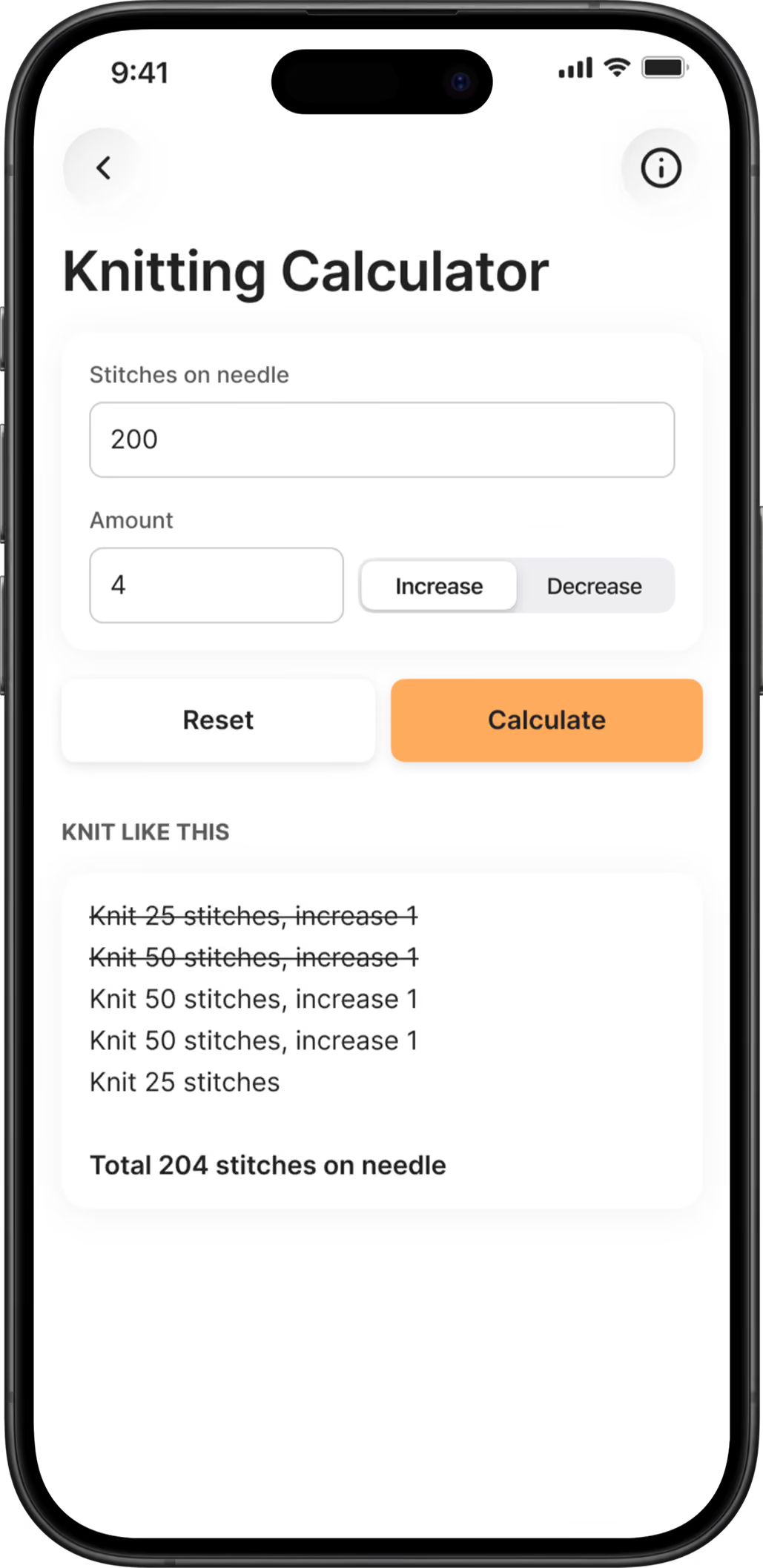
"Increase 4 stitches evenly across the round.” It sounds simple, until you have 200 stitches on your needle. KNIT’s knitting calculator does the math for you and tells you exactly how to knit the row right inside your project

How the knitting calculator works

1. Open the calculator from your active project.

2. Enter the number of stitches on your needle.

3. Enter how many stitches you want to increase or decrease, and choose Increase or Decrease.

4. Tap Calculate, and KNIT shows you how to knit the row, step by step.

45 Tap each step to cross it off as you knit, so you never lose your place.
Knitting calculator in the KNIT app

How to increase or decrease evenly yourself

If you want to understand the math behind it, here’s how it works:

Divide your stitches by the number of increases
‍
200 stitches ÷ 4 increases = 50. That means one increase for every 50 stitches.

‍Start with half a section
‍
Knit 25 stitches (half of 50) before the first increase.

‍Knit full sections between the increases
‍
Knit 50 stitches, then increase 1, until all the increases are done.

‍End with the last half section
‍
Knit the remaining 25 stitches.When the numbers don’t divide evenly, some sections need to be one stitch longer than others. That’s where it gets fiddly – and where the calculator saves you the most time.

‍For decreases
‍
The idea is the same, but remember that a decrease uses two stitches. Knitting two stitches together counts as part of the section.

Always with your pattern

The calculator is built into your project, next to your row counters and notes. When the pattern says “increase evenly”, you don’t have to leave the app or find a pen and paper. Count your total rows with one counter, and pattern repeats or decrease rounds with another.

Frequently asked questions

Is the knitting calculator free?

The knitting calculator is a Premium feature. KNIT is free to download, and you can try Premium free for 30 days.

Does the calculator work for both increases and decreases?

Yes. Choose Increase or Decrease, and the calculator shows you how to spread the stitches evenly.

Where do I find the calculator in KNIT?

Open an active project in the app, and you’ll find the knitting calculator there.

Be the first to know the latest news about KNIT

We rarely email, and you can unsubscribe anytime.
Thanks! You are registered ✨
Something wrong happened, please try again 😢